



An AI writing assistant that won't write your book.
Salt of the Page has no button that writes chapters, and it never will. Connect the AI you already use, Claude, ChatGPT, Gemini or a free model on your own computer, and it helps you research, brainstorm and check facts beside the page. The story, and every sentence in it, stays yours.
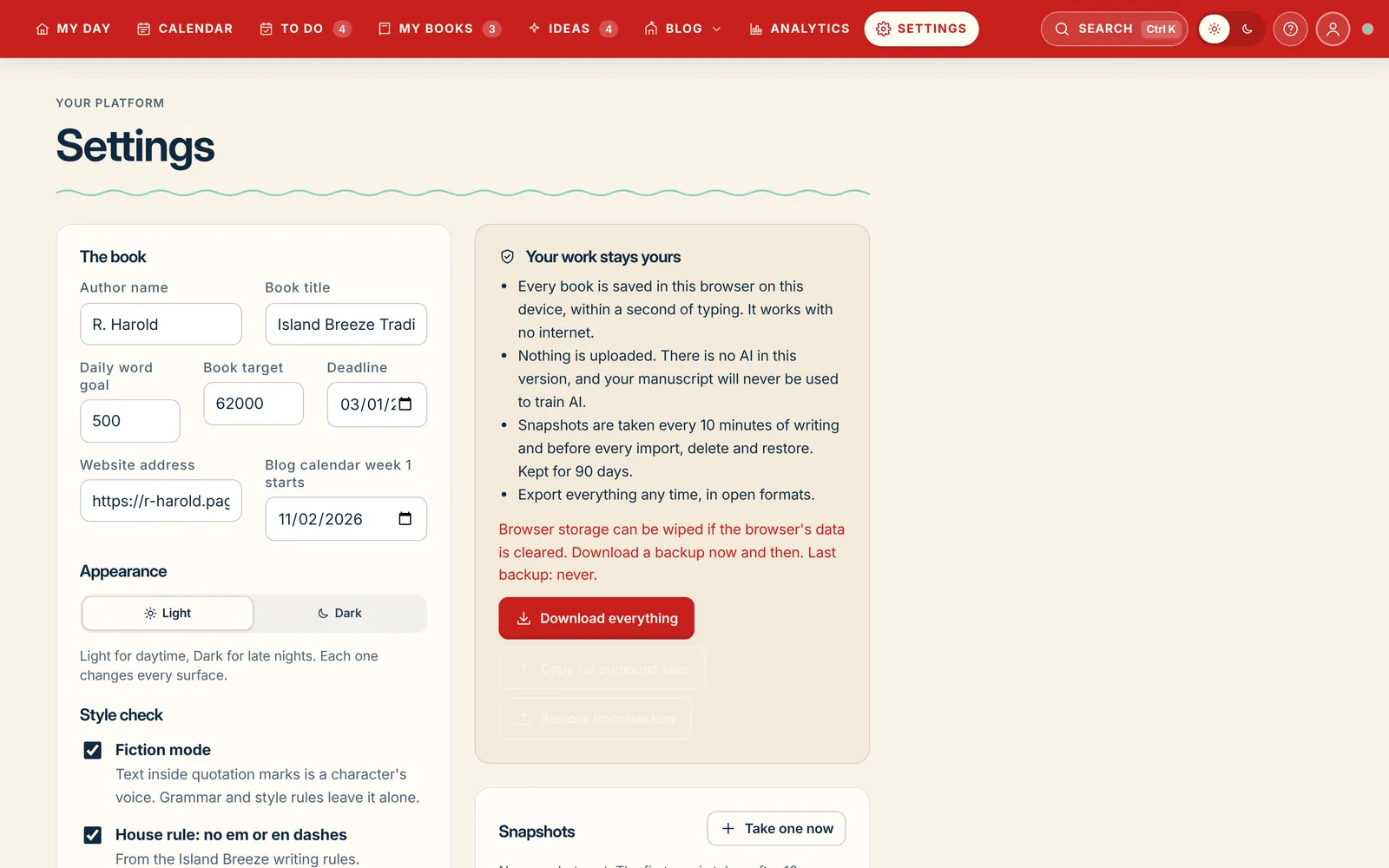
Connect your AI
Bring the AI you already use. It takes about a minute.
There's no built-in AI to buy, no credits and no meter. You connect your own, or leave AI off and use everything else.
- Pick your AI. Claude, ChatGPT, Gemini, or a model running on your own computer.
- Paste your key. Settings links you to the right page and tests the key before you save it.
- Write. Your AI reads our rules and guidelines first, every time, then helps in the AI panel, beside every text box and in the blog idea generator.
Get a key from your Anthropic account at console.anthropic.com. Pay-as-you-go; set your own monthly limit there.
Get a key from your OpenAI account at platform.openai.com. Pay-as-you-go; set your own monthly limit there.
Get a key from Google AI Studio at aistudio.google.com. Google offers a free tier to start.
Run a free model on your own machine with Ollama or LM Studio. No key, no bill, and nothing leaves your computer.
A ChatGPT Plus or Claude Pro subscription is separate from a key. A key is its own pay-as-you-go account, and you pay the AI company directly for what you use.
The rulebook
Plug in your AI. It already knows how to help.
You don't need to know how to talk to an AI. We've written out every rule and guideline it follows, so it gives you the right kind of help from the very first question.
We wrote the rules, so you don't have to.
Every AI is different, and most need careful instructions to be useful to a writer. Salt of the Page hands yours a full set of house rules before it answers anything. Whichever AI you connect, it gets the same instructions and behaves the same way. You never have to write a prompt.
- Help, never ghostwrite. Suggest, research and question. Never draft the book's prose.
- Respect the author's voice. Match the book's style, period and point of view; never "fix" it into something generic.
- Know the book. Read the Source of Truth and the open chapter before answering, so names, places and facts stay straight.
- Show your sources. Back up research with numbered, checkable links, and say plainly when something is uncertain.
- Leave the page alone. Nothing goes into the manuscript unless the author puts it there.
- Keep it short and useful. Clear answers in the writer's language, with options instead of lectures.
A research partner beside the page.
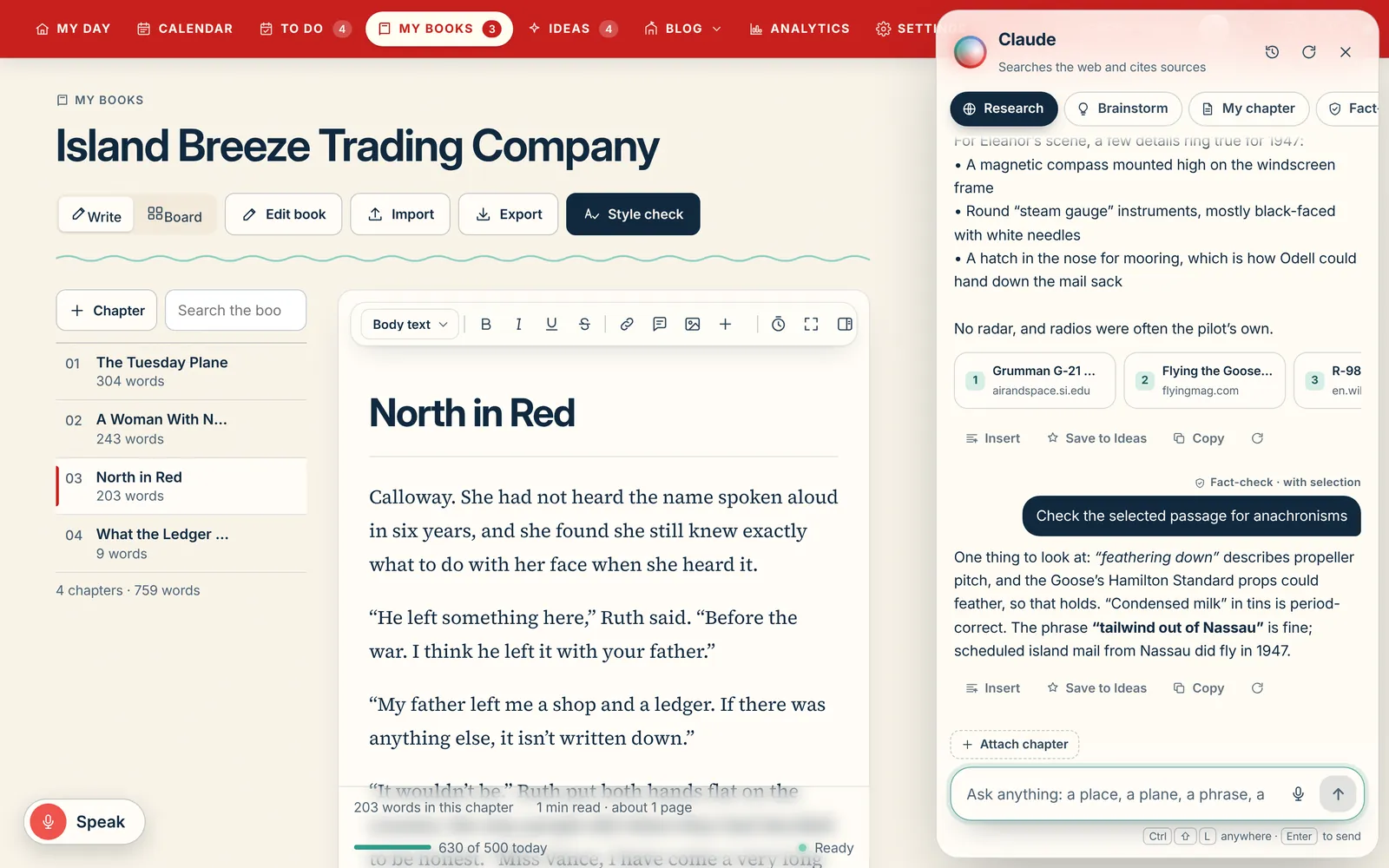
Open the AI panel with ⌘ Shift L and pick a mode. Research searches the web and answers with numbered sources you can open. Brainstorm is fast and loose. My chapter reads what's open and answers questions about it. Fact-check takes a selected passage and tells you what holds up for your period.
Each mode has starter prompts, and you can attach the open chapter or a selected passage. Every answer can be inserted, saved to Ideas or copied, but nothing goes into your manuscript unless you put it there.
Help in every text box
Click into a task, idea, blog post or note and ask for Suggest 5, Make it better, Expand, Brainstorm, Tighten or Research it. Add the answer below, replace the text or copy it.
Blog ideas from your book
Generate blog ideas from your own manuscript that don't repeat the ones you already have, and schedule them onto your plan.
Right for the era?
Look a word up in the dictionary and ask whether a 1940s character would really have said it.
A history you can search
Every answer is kept: search it, star the good ones, filter by mode or by who asked, and download it as a Markdown file.
Assist, never ghostwrite
Built for writers who want to stay the writer.
AI writing tools split into two camps: the ones that write for you, and the ones that refuse AI entirely. Salt of the Page sits in between, on purpose.
What it's for
- Getting unstuck. Five ways a scene could go, when you've stared at the same paragraph too long.
- Research with receipts. What a 1947 cockpit looked like, with sources you can check.
- A second pair of eyes. Fact-check a passage, or ask what a chapter is really about.
- Sparks. Blog ideas, newsletter angles and prompts from your own manuscript.
What it won't do
- Write the book for you. There's no "generate chapter" button, and there never will be.
- Change your words. Every suggestion waits beside the page until you choose to use it.
- Learn from your manuscript. Your writing never trains an AI.
- Nag you. It stays out of sight until you ask it something.
Privacy
Plain words about your words.
Your provider, your bill
You pay the AI company directly for what you use, usually pennies a request and a few dollars a month. We never charge for AI and never see your bill.
Your key stays with you
Your key is kept on your own devices, and your requests go from you to the provider you chose.
Never trains on your book
Your manuscript is never used to train an AI by us. Choose a provider whose terms suit you, or run a model on your own computer.
Off is complete
Leave AI off and the style check, Ask the book, dictionary, previews, imports and exports all still work, on your device.
What it costs
Pennies a question, paid to your AI company.
We never charge for AI. Here's roughly what each feature costs with your own key, so there are no surprises on your bill.
| Where you use it | Budget AIClaude Haiku, GPT-6 Luna, Gemini Flash-Lite | Everyday AIClaude Sonnet, Gemini Pro | Top-of-the-line AIClaude Opus or Fable, GPT-6 Astra |
|---|---|---|---|
| Look up a word"Right for the era?" in the dictionary | under 0.1¢ | about 0.6¢ | up to 3¢ |
| Help in a text boxSuggest 5, Make it better, Tighten or Expand | under 0.1¢ | about 0.9¢ | up to 4¢ |
| BrainstormFive ways a scene could go | under 0.1¢ | about 1¢ | up to 7¢ |
| Fact-checkA selected passage, checked for your period | under 0.1¢ | about 1¢ | up to 7¢ |
| Ask about my chapterReads the open chapter (about 5,000 words) | about 0.1¢ | about 3¢ | up to 13¢ |
| ResearchSearches the web and answers with numbered sources | about 2¢ | about 5¢ | up to 19¢ |
| Blog ideasA batch of ideas from your manuscript | about 0.2¢ | about 4¢ | up to 22¢ |
| A busy monthAbout 544 requests: the mix above, most days | about $1 | about $8 | up to $37 |
Why the range? AI companies charge by the amount of text that goes in and comes out. Short jobs like tightening a paragraph cost a fraction of a cent; reading a whole chapter costs more. Bigger, smarter models cost more per request.
Keep it predictable. Set a monthly spending limit in your account with the AI company, and pick a budget model for everyday help. On your own computer with Ollama or LM Studio, every request is free.
Questions
About the AI.
Will the AI write my book for me?
No. There's no feature that writes chapters or scenes. The AI researches, brainstorms, answers questions about your own book and checks facts, and anything it suggests waits beside the page until you decide what to do with it.
Do I need to know how to write prompts?
No. We've written the rules and guidelines your AI follows: how to help an author, what never to touch, how to cite sources and how to answer. Your AI reads them before every answer, so you just ask your question in plain words.
Which AI can I use?
Claude (Anthropic), ChatGPT (OpenAI), Gemini (Google), or a model running on your own computer through Ollama or LM Studio.
How much does the AI cost?
Nothing from us. You pay your AI company directly, by the request: with an everyday model like Claude Sonnet, about 1¢ to tighten a paragraph, about 3¢ to ask about a whole chapter and about 5¢ for research with sources. Most writers spend a few dollars a month, and a model on your own computer is free. See every feature's cost.
Does my ChatGPT Plus or Claude Pro subscription work?
Those subscriptions don't include an API key. A key is a separate pay-as-you-go account with the same company, and Settings links you to where to get one.
Is my manuscript used to train AI?
Not by us, ever. Your requests go to the provider you chose under their terms, or stay on your computer with a local model.
Can I use Salt of the Page with no AI at all?
Yes. AI is off until you connect yours, and every other tool works without it.
Keep the creative juices flowing. Keep your voice.
Connect your own AI or leave it off. Either way the whole studio is yours for $150 once or $10 a month.