


Book formatting software that shows you the real book.
Lay your draft out as a paperback, a Kindle book and an Apple Books ebook while you're still writing it. Pick a design, watch every page change as you adjust it, and export a validated EPUB and a print-ready PDF for KDP, IngramSpark and every major store.
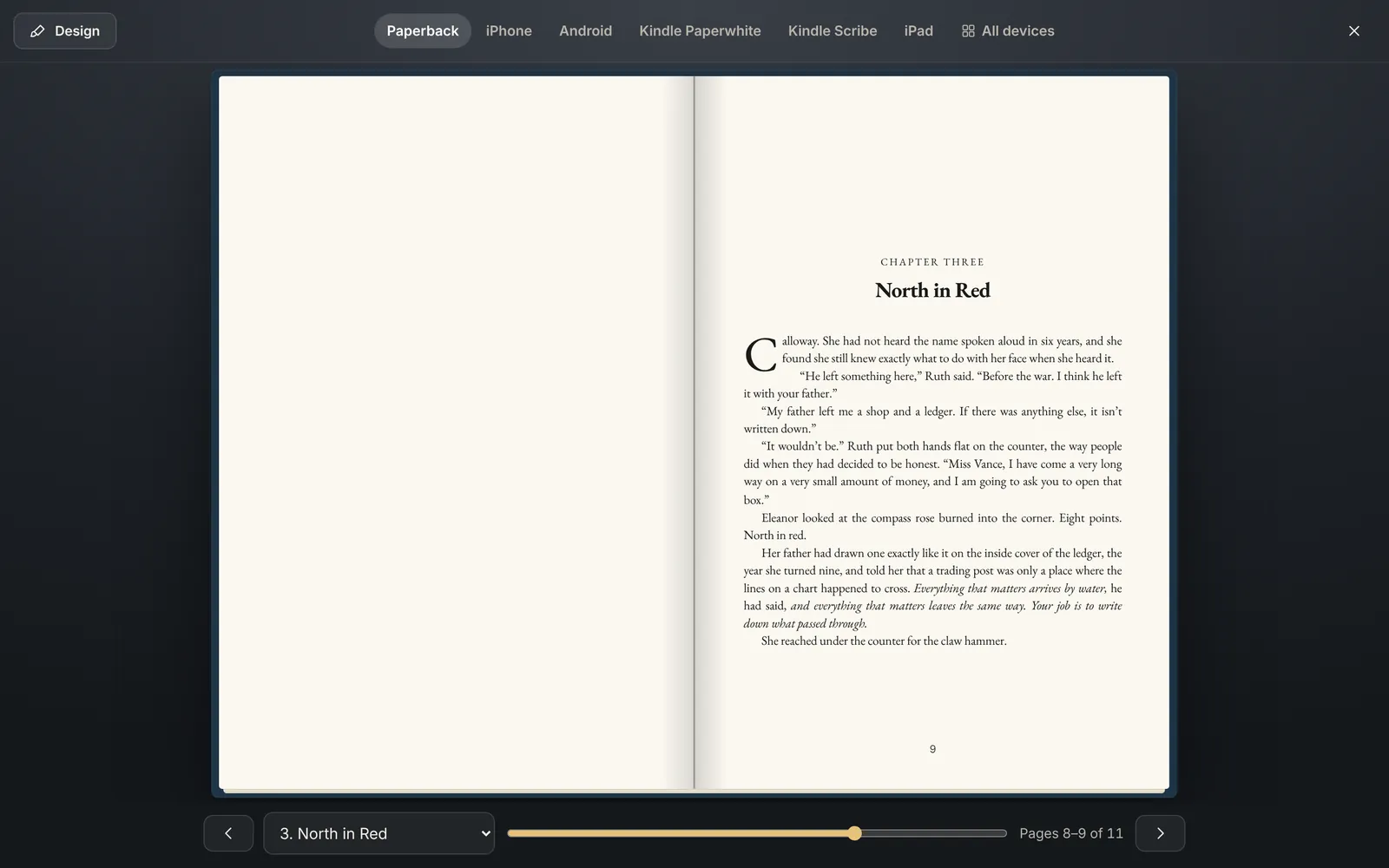
Turn the page on a real paperback.
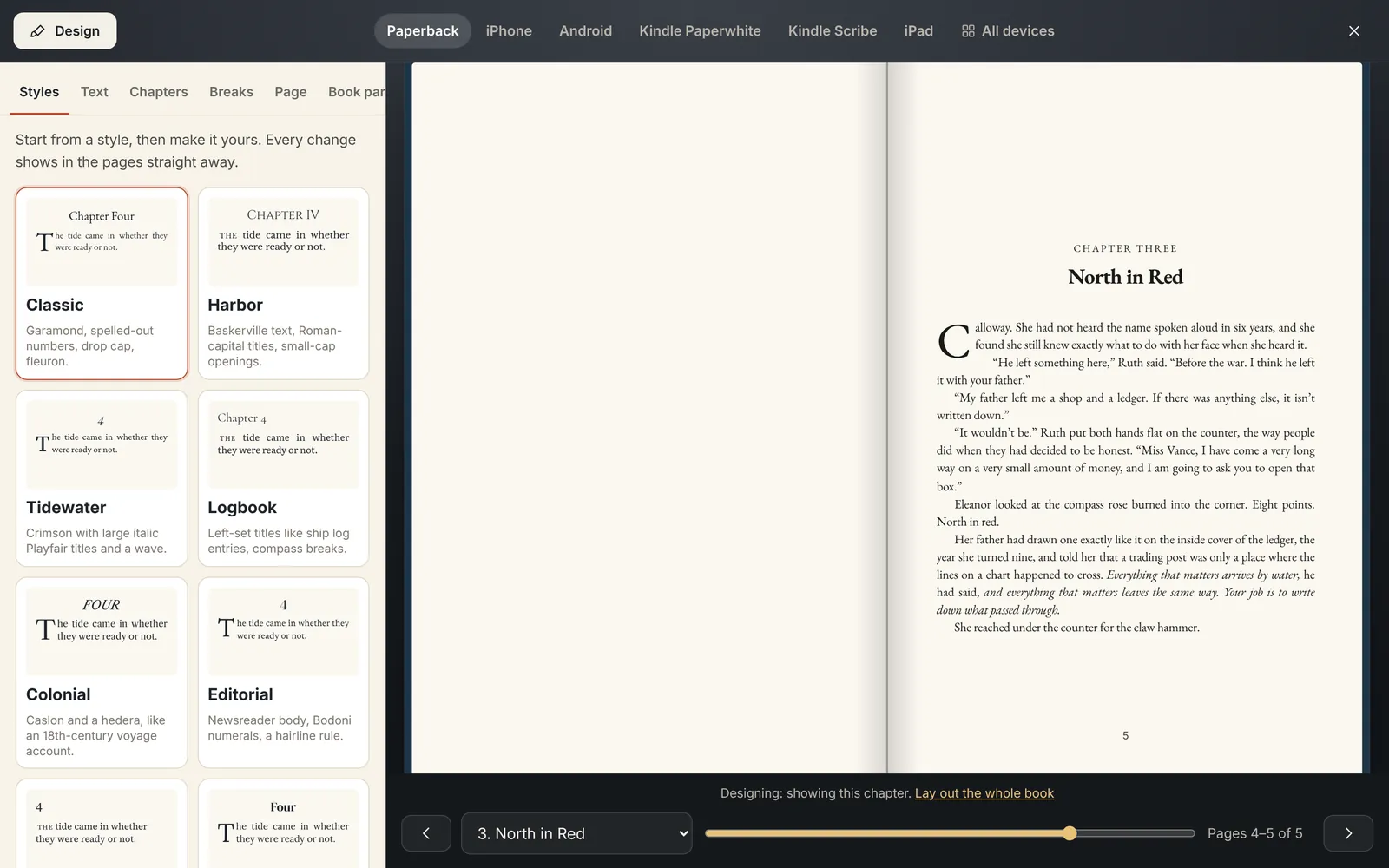
Press ⌘ Shift B and your draft becomes a two-page spread with a paper page turn, running heads, page numbers, front matter and chapters that open on a right-hand page. Page counts follow your trim size, so you know how thick the book will be.
Turn pages with the arrow keys, a swipe, a click, the slider or the chapter menu.
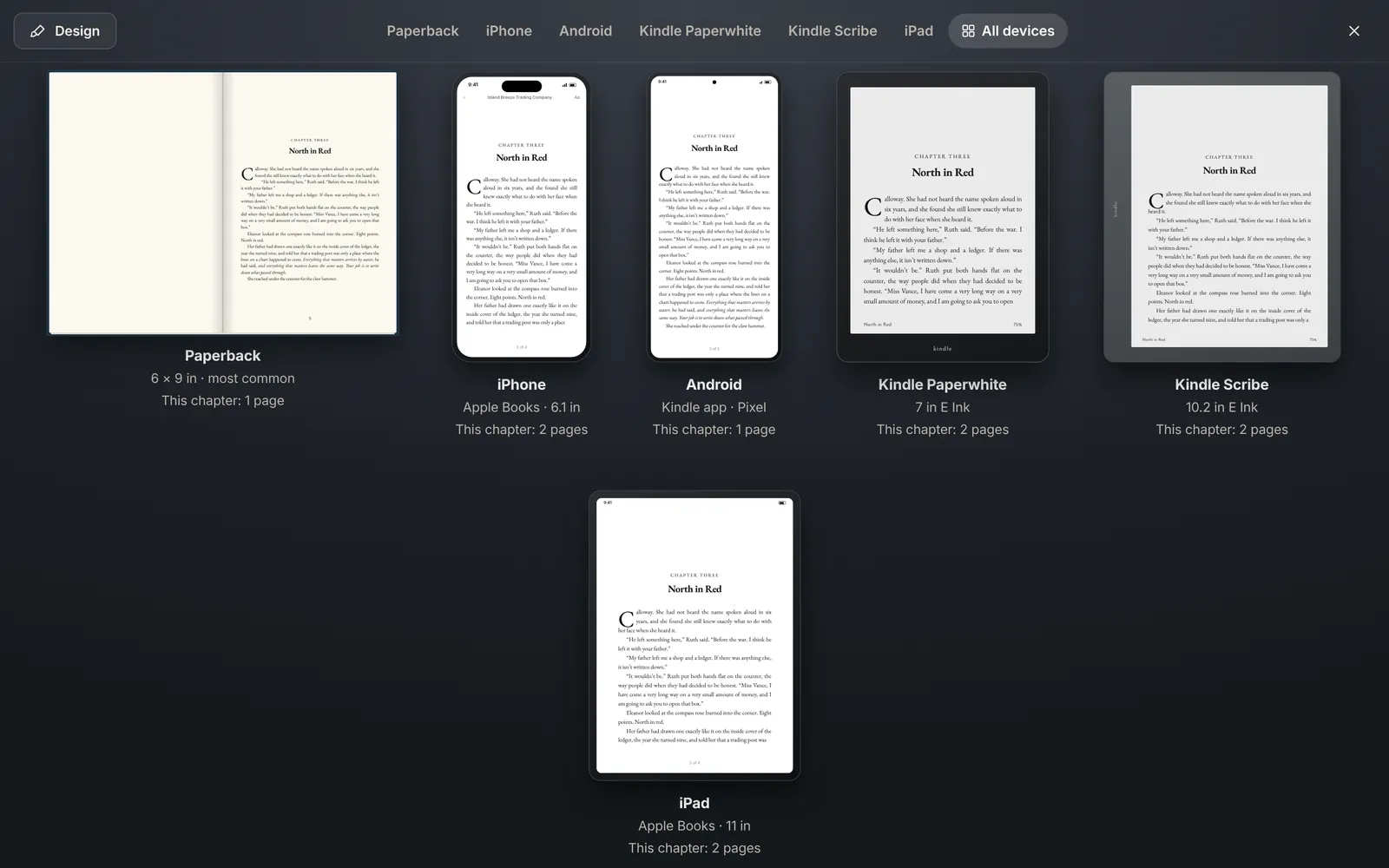
And on every screen your readers use.
The same book is laid out properly for iPhone (Apple Books), Android (the Kindle app), Kindle Paperwhite and Kindle Scribe with the E Ink page flash, and iPad. Phones and tablets switch between White, Sepia and Night pages and text sizes.
All devices shows the current chapter's opening on every device side by side with its page count, so you catch the awkward chapter break before a reader does.
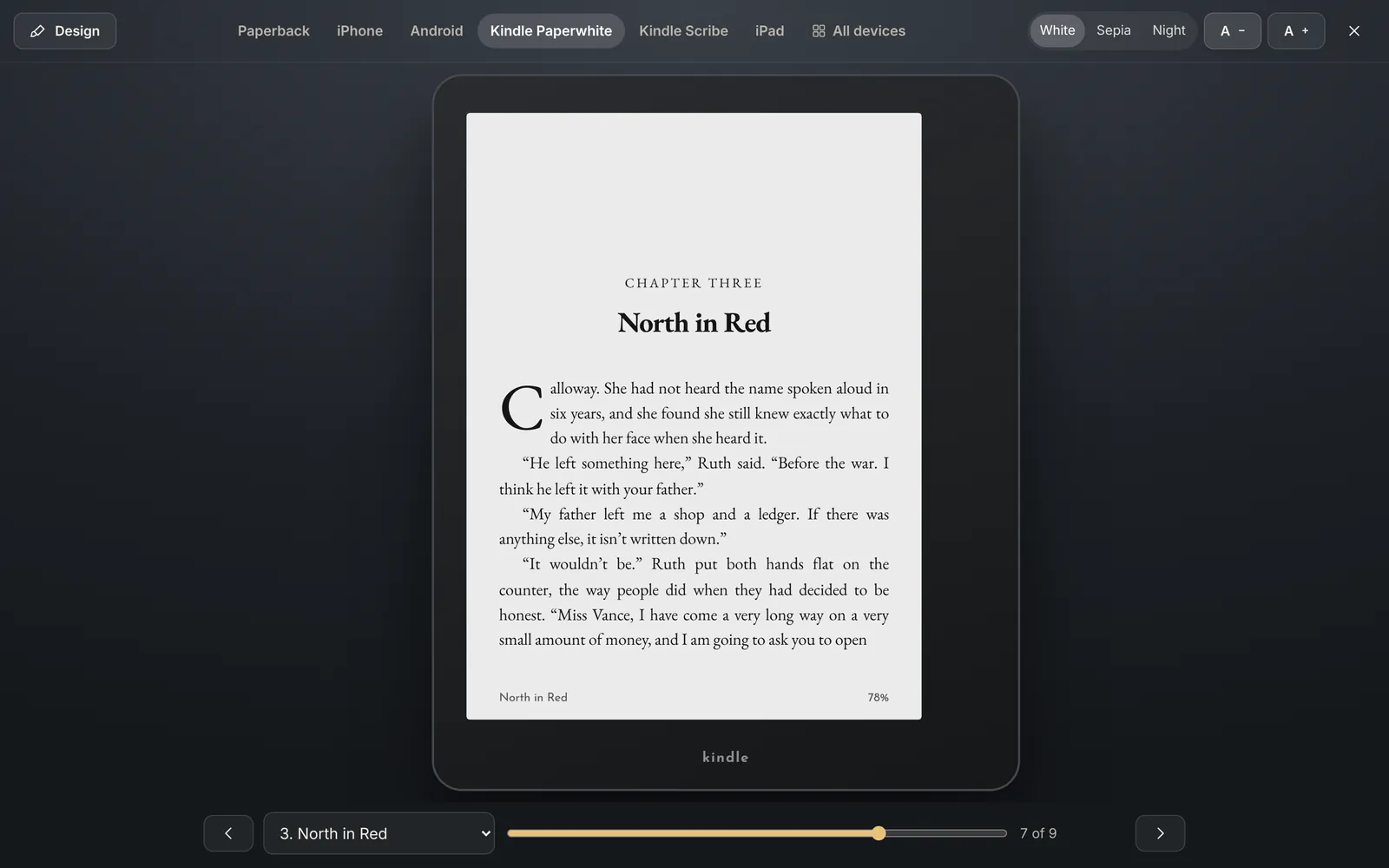
A Kindle in your writing app.
See exactly how a chapter breaks across E Ink pages on a 7-inch Paperwhite and a 10.2-inch Scribe, with the page-turn flash and the progress line along the bottom.
Design it like a book designer would.
The Design button opens a panel beside the pages, and every change shows on the page as you make it. Start from one of ten looks: Classic, Harbor, Tidewater, Logbook, Colonial, Editorial, Modern, Coastal, Literary and Adventure. Save your own and use it in every book.
Text
18 book fonts, size, line spacing, indent, justified or ragged right, hyphenation, old-style or lining numbers, paragraph spacing and block-quote style.
Chapters
27 heading fonts and number styles from "Chapter One" to Roman numerals, a custom label, title size, capitals, italics, alignment, rules and ornaments, and how far down the page the chapter starts.
Openings
Drop caps two to five lines tall, small-caps first lines or first words, and an accent colour for headings and drop caps.
Scene breaks
15 ornaments, including a drawn wave, anchor, rope, sun and gulls, and how the paragraph after a break begins.
Page
7 trim sizes and 4 margin settings. The inside margin grows with page count to stay above KDP's minimums. Running heads, page numbers, recto chapter starts, contents and title page.
Book parts
Dedication, epigraph, ISBN, imprint, edition, copyright, author's note, acknowledgments, about the author and "also by".
Exports
The files the stores ask for, done right.
EPUB
Fonts embedded and checked with epubcheck before download, so stores accept it the first time.
Print PDF
6×9, 5.5×8.5, 5×8 and 5.25×8 with mirrored margins and a gutter sized to your page count.
Word .docx
Opens cleanly in Word. Headings, italics, bold, scene breaks and footnotes survive the round trip.
Markdown and backup
Markdown for anywhere else, and a ZIP of the whole project whenever you want it.
Fonts you can publish
Every book font is SIL Open Font License, free to embed in the books you sell.
One design, every format
The same design drives the preview, the EPUB and the print PDF, so what you see is what you upload.
Publishing guide
From finished draft to every store.
Where it goes
- Amazon KDP for Kindle ebooks and paperbacks
- IngramSpark for bookstores and libraries
- Draft2Digital for wide ebook distribution
- Apple Books, Kobo and Barnes & Noble direct
How it gets there
A built-in publishing guide walks you through each store with a suggested plan. Amazon doesn't let any app upload a book for you, so you upload the files Salt of the Page makes at kdp.amazon.com yourself: an EPUB or Word file for the ebook, and a PDF interior for print. Your cover is made separately; KDP's cover calculator gives you the spine width.
Questions
About formatting and publishing.
Can I format my book for Amazon KDP?
Yes. Export an EPUB or Word file for the Kindle ebook and a print-ready PDF interior for the paperback. Margins grow with your page count to stay above KDP's minimums.
Will stores accept the EPUB?
Every EPUB is checked with epubcheck, the standard validator, before you download it, with fonts embedded.
Do I still need Vellum or Atticus?
Does it make covers?
No. Covers are made separately and uploaded to each store with your interior.
See your book as a book, tonight.
Paperback, Kindle and Apple Books previews and every export, for $150 once or $10 a month.