


All postsPublishing
How to format a book for KDP paperback and Kindle
Trim size, margins, front matter and the files Amazon actually wants, in the order that saves you a weekend of fixes.
Chris & Randy · 3 min read


Most formatting headaches come from doing it last. The book is "done", the launch date is set, and then you discover that chapter twelve starts on a left-hand page, the inside margin swallows half a word, and the ebook looks nothing like the paperback.
Here’s the order we recommend instead. Each step makes the next one easier.
Choose the trim size first
Trim size is the physical size of the printed book, and it changes everything downstream: how many pages you’ll have, how thick the spine is, and how a page looks. Novels commonly use 5×8, 5.25×8 or 5.5×8.5 inches. Non-fiction and memoir often go 6×9.
Pick it before you design, and preview in that size while you’re still writing. A 300-page manuscript at 6×9 can become a 380-page book at 5×8.
Let the inside margin grow with the book
KDP asks for a bigger inside margin (the gutter, where the pages meet the spine) as the page count goes up, because thicker books curve more into the binding. Fixed margins that look fine at 200 pages can fail review at 400.
Salt of the Page grows the inside margin with your page count to stay above KDP’s minimums, so you don’t have to recalculate when you add a chapter. Whatever you use, check KDP’s current guidelines before you upload.
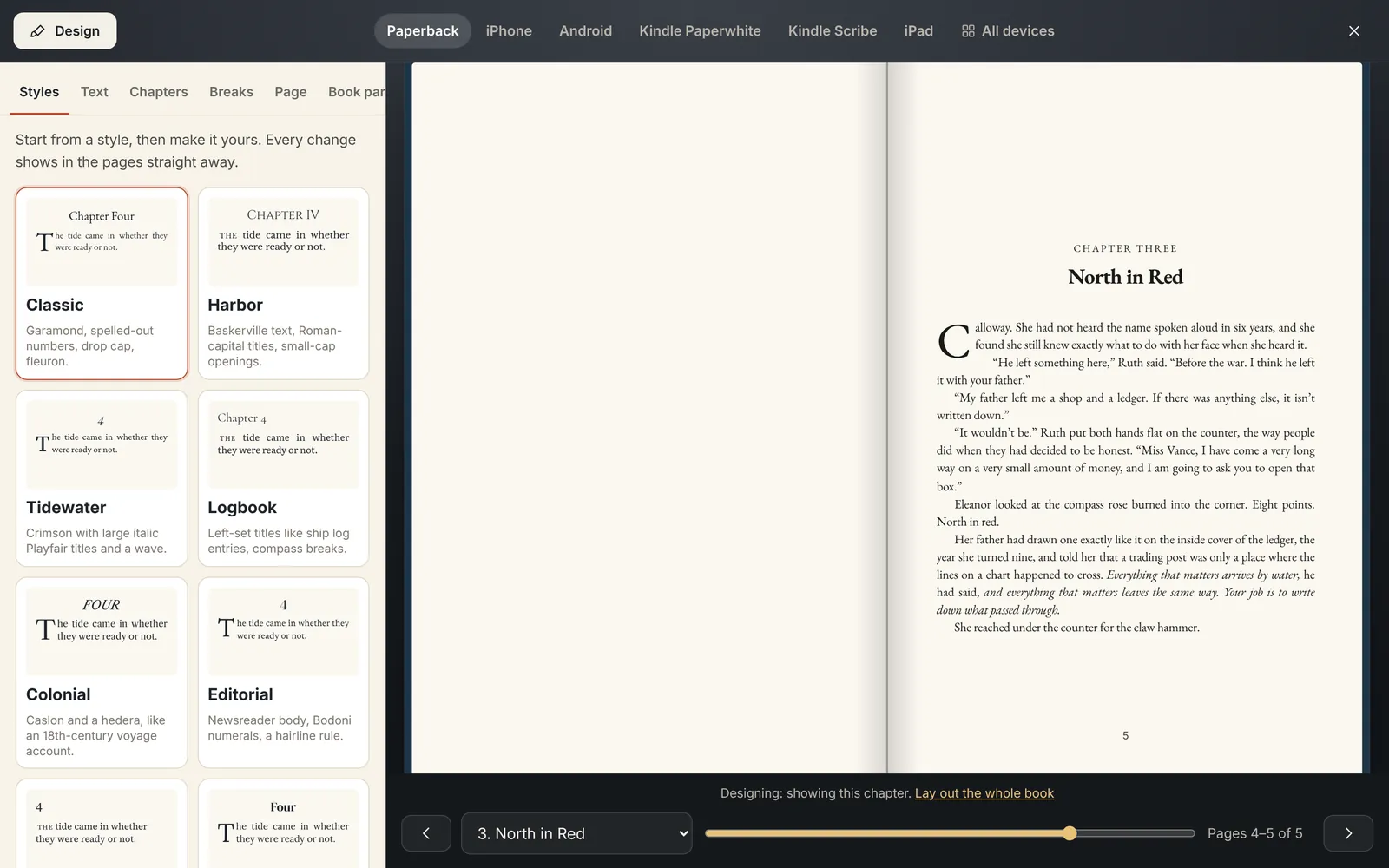
Front and back matter
Readers notice when these are missing. In the front: a title page, a copyright page with your ISBN and edition, then any dedication or epigraph, then the contents. In the back: acknowledgments, about the author, and an "also by" page if you have other books.
Chapters in a print book traditionally open on a right-hand page. That sometimes leaves a blank page before a chapter, and that’s fine.
The ebook is a different animal
An ebook reflows: the reader picks the font size, so there are no fixed pages. Don’t fight it. Keep drop caps, scene-break ornaments and chapter headings, and let the text flow.
KDP accepts EPUB and Word files for Kindle ebooks. If you upload an EPUB, validate it first. Every EPUB from Salt of the Page is checked with epubcheck, the standard validator, before you download it.
Preview on the devices your readers use, before the reviewers do it for you.
Preview before you upload
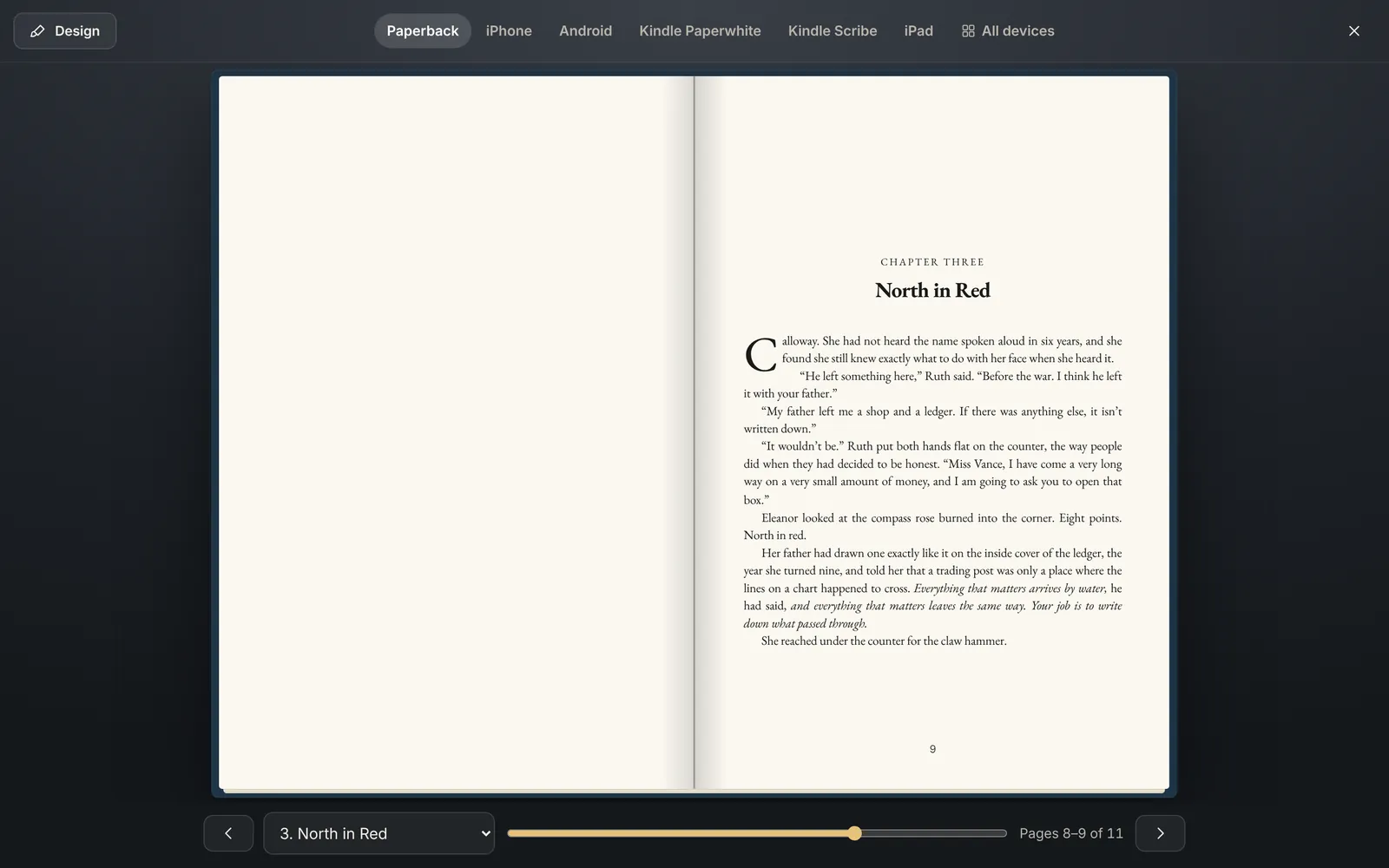
Look at the paperback spread, then at a Kindle Paperwhite, then at a phone. Awkward chapter breaks, a heading stranded at the bottom of a page and a too-small font all jump out when you see them side by side.
Uploading to KDP
Amazon doesn’t let any app upload a book for you, so the last step is yours at kdp.amazon.com: an EPUB or Word file for the ebook, and a PDF interior for the paperback. Your cover is made separately, and KDP’s cover calculator gives you the spine width from your final page count.
- Trim size chosen before design
- Inside margin right for the page count
- Title page, copyright page and contents
- Chapters open on right-hand pages in print
- EPUB validated, fonts embedded
- Previewed on paperback, Kindle and a phone
- Cover sized with KDP’s calculator
Chris & Randy
A son and his dad who make Salt of the Page, book writing software for authors who want to finish. Questions about this post? Write to us.
About us